One of the things I remember most about my childhood is just how much using my imagination entertained me nearly everyday. From putting on backyard plays, dance recitals, and pretending to be a myriad of different people in different adventures, there was never a dull moment, even if I didn’t have anyone else to play with. In today’s busy world, often times kids don’t get to flex those little brain muscles enough to dream, wonder, and create.
My son and I recently got to test out a very cool new app for kids called PlayTown. Inside PlayTown, children can create their own characters and choose their clothing, select their own story settings, and record their own voices to create a truly one-of-a-kind adventure. When they’re finished, they can play their story back and even share their adventures within the app with friends and family. As a mom, I see this as a great way for my son to entertain himself by being creative. As a children’s librarian, I see this as an amazing tool for reinforcing story elements with my students.
CREATE YOUR OWN ADVENTURE
A PlayTown story begins by selecting a playset. Most of these playsets are absolutely free, but some can be purchased for $1.99. Here are a couple of examples:
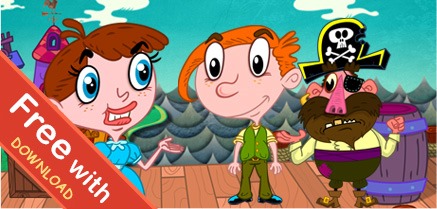

Next, you child can select characters and add their own photos and drawings. Props, clothing, different background scenes, background music, and even your child’s voice recorded can be added to truly personalize the story just the way your child wants.
For our first time using PlayTown, my son chose the Pirate’s Treasure playset to create his story.
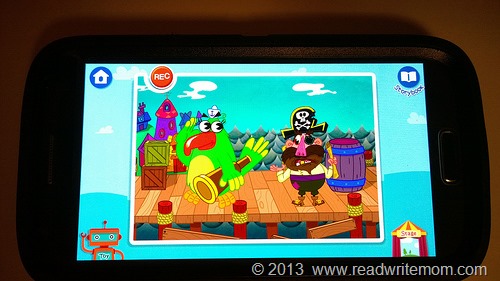
He’s 8 years old, and to be perfectly honest, he assumed before even trying this out that this was a “baby game”. His words. However, I convinced him that this would be really fun and so he settled in to create his own story.
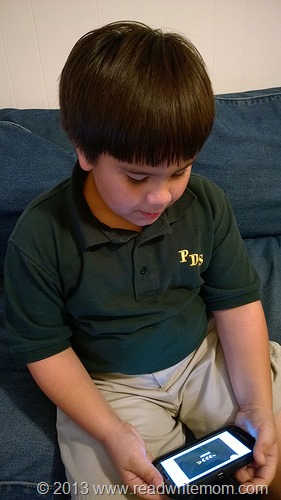
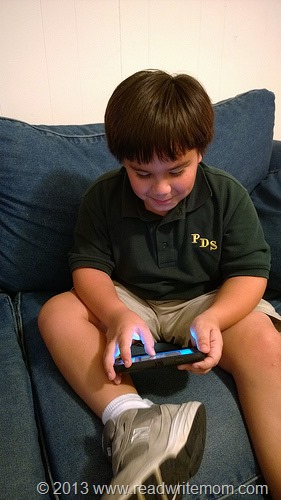
Pretty soon he figured out this was not a “baby game” and he was really enjoying himself. He flipped when he figured out he could add his own voice recording to the story. Needless to say, things got real silly, real fast!
When he had the app all figured out, he promptly retreated to his room with the phone and nothing but giggles could be heard for over an hour. I’d say that he’s totally sold on this app!
FREE DOWNLOAD
The PlayTown: My Storymaker app is available through the iTunes App store and Google Play and is absolutely free to download. You can also keep up with the latest in PlayTown news by following them on Facebook.
I can’t wait to share PlayTown with my students at school and use this in the library on our tablets to let my students create their own unique adventures. Fostering creativity, imagination, and problem solving skills in children is so important. This app does all of those things while providing a fun play experience for kids.
I am participating in a compensated brand ambassador campaign for PlayTown. All opinions are my own.

Leave a Reply